|
 |
Bopup Communication Server — Organizes, manages and controls all of your private and business IM communications |
 |
$219.00 per company This software is offered for FREE to small-size companies!

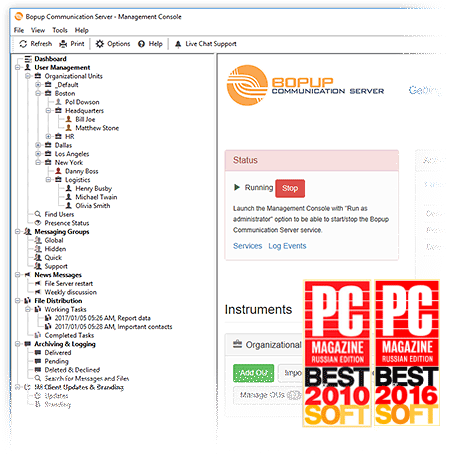
Bopup Communication Server is a secure messaging suite designed to provide efficient and private communication over networks of any size. The server meets most of the critical business needs, such as centralized management, the Active Directory (LDAP) support, message and file transfer logging. It can be easily deployed over the business infrastructure to unite the entire company's offices and other locations into one internal IM workspace with control over messaging groups, user permissions to view others and send messages and documents, message and transfer archives with printing support.
Since the server stores and delivers offline messages and files, users never lose information they are supposed to receive. Messaging is encrypted with strong algorithms so personal and group conversations are safe and secure even if data is sent via the Internet. Users can send messages with formatted text, links and graphic emoticons (smileys), organize their personal Contact Lists, access their contacts from any workplace and see who is online and available for communication. The client software can be configured on the server to run in the Confirmation Mode, which means that the client pops up every time a new message is received and keeps the window on top until the user confirms the message.
To crown it all, Bopup Communication Server is fast to deploy and easy to use. It has a great and flexible user interface and comes with a built-in messaging system for scheduled and planned user notifications including the File Distribution system that offers a managed distributing documents to users. Client instant messengers can be easily installed and distributed via Group Policies with the support of pre-installed settings.
 |
Bopup Communication Server — Instant Messaging Server with a set of enterprise-level features |
| Secure and Private Communication |
All transmitted messages and files are encrypted with strong encryption algorithms based on the Diffie-Hellman key exchange and CAST-128 algorithms. That is the first and primary way to make corporate and business IM safe and secure. |
| Authentication Modes |
The server supports various modes to authenticate and authorize connected users. Choose the best way for your corporate and business infrastructure from the available authentication modes: Simple, Windows Authentication (SSPI) and Private login/password.
|
| Messaging Groups |
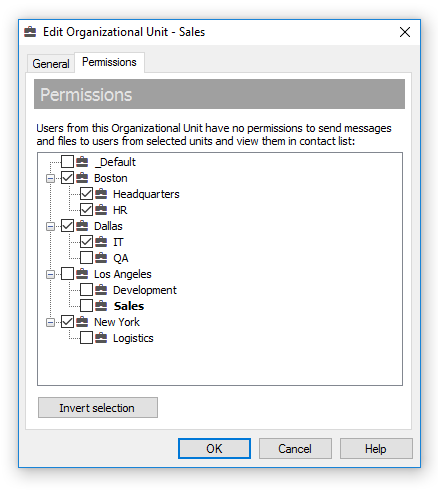
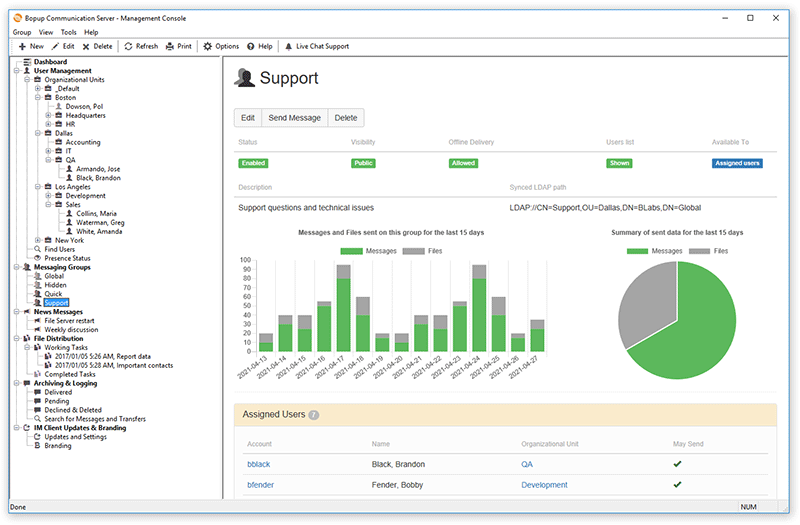
The centralized management of user groups makes it possible to organize a flexible IM structure with a list of assigned groups and send/receive-only permissions set for each user.
|
| User Online Status |
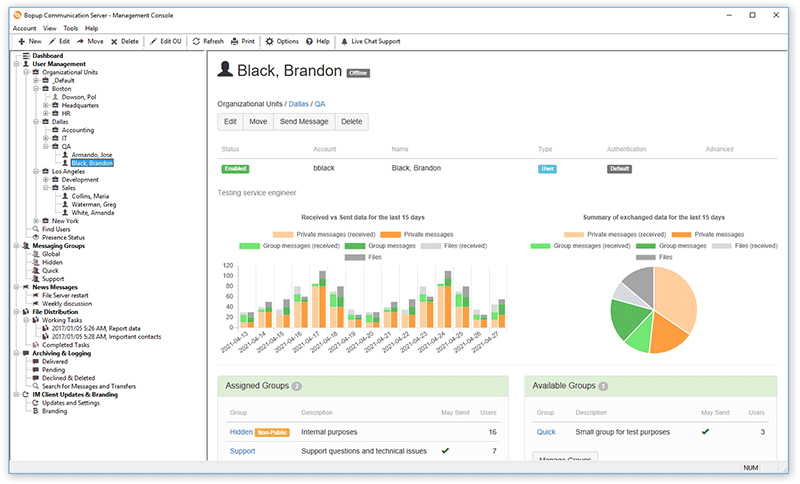
Online statuses allow users to see the current status of each user in their Contact List, i.e. Online, Away, Offline/Not available and control their own status.
|
| Contact List access |
Users can organize personal Contact Lists and access them from any workplace and location. Users are informed if there are new contacts available on the IM server and if they can be added to their Contact Lists. |
| Offline File Transfer and Urgent Messaging |
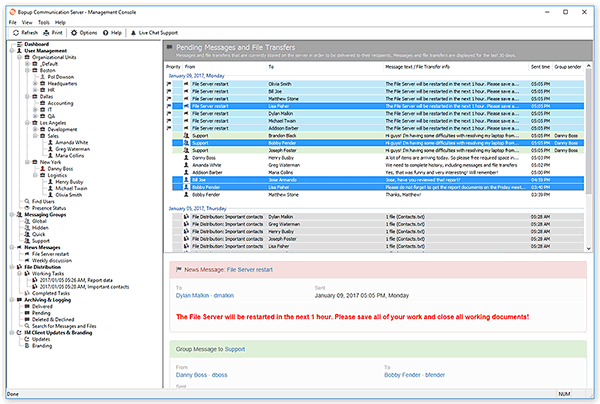
Enable message exchange and file transfer even if some users are currently not available. Offline messages and files are automatically delivered by the IM server to the recipient when the latter goes online. Send urgent messages for high-priority tasks and notifications.
|
| File Distribution |
Easy, managed and secure distributing files and directories to client workstations. Important documents can be assigned and delivered to users from the server in a fully automated mode with a set of advanced flags.
|
| Terminal Server support |
The client software fully supports the Terminal Server, Citrix environments and the Windows XP Fast User Switching feature. Users can communicate even if they are connected to the same server via Terminal Client sessions or have open logon sessions on the same computer simultaneously. |
| Centralized Notification |
Send notifications and urgent messages and keep users updated on any events and information. These messages are automatically delivered by the server at the scheduled time at the specified intervals.
|
| Confirmation Mode |
Activate the Confirmation Mode which pops up the client messenger when a message is received and keeps it on top of other windows until the user clicks the Confirm Message button. That is the best way to attract users' attention.
|
| Message and Transfer Logging & Archiving |
Browse, search and view the entire message and file transfer archives. Print information for any period and for any person.
|
| Instant IM Client Updates & Branding |
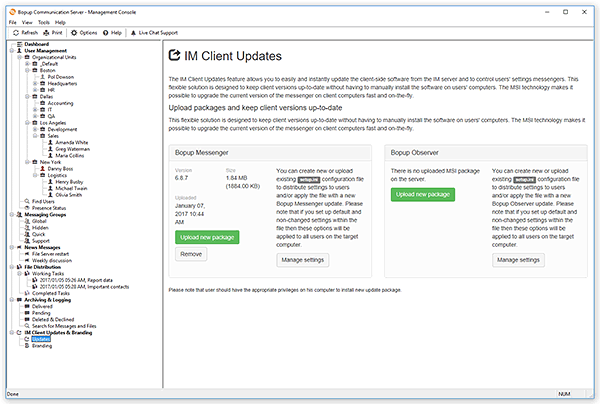
The messaging clients can be instantly updated from the central IM server. This feature allows to keep IM client versions up-to-date and deploy new software updates and patches in a completely automated way without having to manually install it on all user computers. Branding lets you get instant messengers customized with your company logo. |
| Active Directory (LDAP) support |
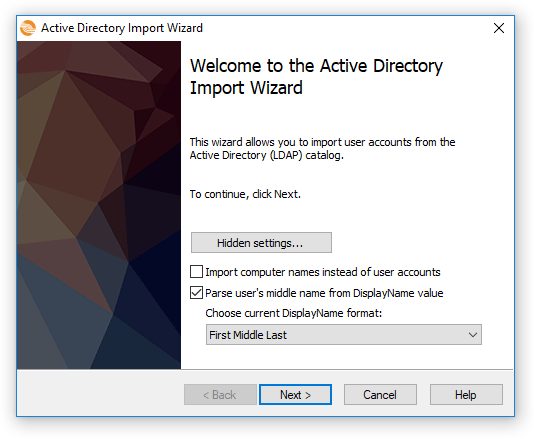
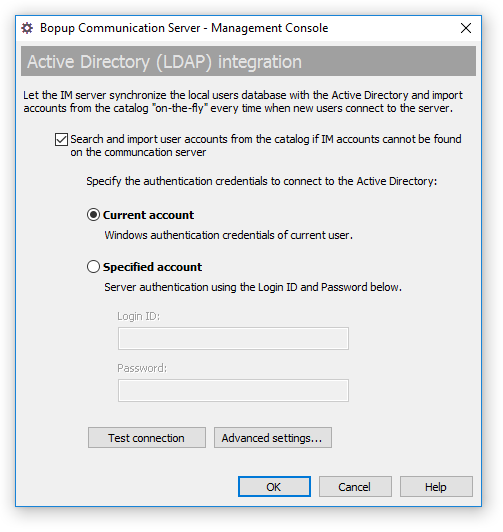
Import user accounts from a global catalog and create the local users database on the server within a few seconds. Import accounts by choosing different criterias: by Organizational Units (OU) or by Groups. The server also provides integration options with a directory and can search and import accounts "on-the-fly" when new users connect. |
| Fast to Deploy and Easy to Use |
Neither experience nor special skills are needed for installing the server. Just go through the steps of the Setup Wizard and get your IM system running in a few minutes. |
 |
Bopup Communication Server — Improves your corporate collaboration and extends business text messaging services |
| Creates a private IM workspace within your company | Builds a structure of departments | Provides an access to logs of message and transfer archiving | Sends important alerts | Organizes messaging groups | Manages who is participating and who may send messages and files on groups | Provides offline messaging services | Stores users Contact Lists | Delivers scheduled news messages at specified date/time in an automated mode | Distributes important files and documents to employees |
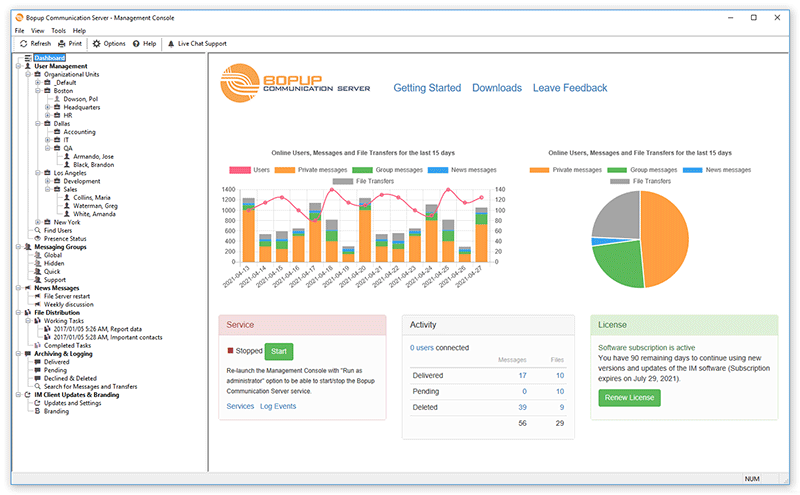
IM Server Screenshots
This messaging software is the server part of the client/server IM suite.
Step-by-Step Guide to Setup Instant Messaging
This document contains step-by-step manual on how to install Bopup Communication Server version 3.x and get
IM clients connected. Neither experience nor special skills are needed for installing the server. Just go
through the steps of the Setup Wizard and get your IM system running in a few minutes.
Step-by-Step Guide to Install MS SQL Server 2005 Express Edition as a Host Database Server for Bopup Communication Server
Read this article to learn more about how to install Microsoft SQL Server 2005 Express Edition as a host database server for Bopup Communication Server.
Step-by-Step Guide to Migrate and Move Bopup Communication Server Database to a New Microsoft SQL Server
Learn this article to know how to move Bopup Communication Server database and migrate to a new Microsoft SQL Server. This document contains a step-by-step guide on how to create a backup of existing database of Bopup Communication Server and restore it on a new SQL server.
Available Event Codes
The following document decribes available Event Codes that appear in Bopup Messenger and Bopup Observer
software and provides extended information on each event and resolution.
|
|